
Introduction
The landscape of content creation has experienced a monumental shift. The days of fighting with complicated timelines or managing large camera crews just to get a brief cinematic shot are over. Today, anyone with a laptop can generate high-quality, photorealistic video footage in seconds using text or images.
Whether you are a beginner looking to launch your first YouTube channel, a seasoned digital marketer scaling ad campaigns, or a small business owner aiming to cut video production costs, finding the right tool is vital. However, the market is crowded with options, making it difficult to separate genuine utility from artificial fluff.
To help you navigate this space, I spent over 40 hours testing the leading generative video tools. I evaluated their prompt adherence, motion physics, and user interfaces.
This comprehensive guide breaks down the five best AI video generators available right now. We will explore their features, analyze their pros and cons, and determine exactly which platform deserves your time and budget.
Why This Topic Matters in 2026
Video content is no longer just one element of a digital marketing strategy—it is the foundation. The demand for video across platforms like TikTok, YouTube Shorts, and Instagram Reels has made fast production an essential requirement for survival.
This environment has transformed generative AI models from simple novelties into standard industry tools:
- Realism and Physics: The latest AI engines accurately simulate lighting, fabric textures, and fluid dynamics.
- Multimodal Generation: The top platforms no longer just generate silent clips; they output video, ambient soundscapes, and synchronized dialogue simultaneously.
- Granular Control: Advanced editing functions like brush tools allow users to direct specific movements within a frame.
- Important Industry Note: Legacy systems are shifting quickly. For example, OpenAI’s Sora consumer app and ChatGPT interfaces have been retired in favor of developer-focused APIs, making room for more accessible, production-ready alternatives.
Quick Comparison Table
| Tool Name | Best For | Max Clip Duration | Price Range | Free Tier Available? |
| Google Flow (Veo 3.1) | Cinematic Realism & Native Audio | 60 seconds | Free Preview / $19.99/mo | Yes (Limited Credits) |
| Runway Gen-4.5 | Professional Fine Control | 16 seconds | $15 to $95/month | Yes (125 One-time Credits) |
| Kling 3.0 Omni | Photorealistic Motion & Action | 15 seconds (Per clip) | $8 to $28/month | Yes (Daily Login Credits) |
| Hedra (Character-3) | Character-Driven UGC & Ads | Model Dependent | $10 to $75/month | Yes (300 Credits/mo) |
| Pika 2.5 | Fun Social Media Visual Effects | 10 seconds | $8 to $76/month | Yes (With Watermark) |
Detailed Product Reviews
1. Google Flow with Veo 3.1
The Cinematic Powerhouse with Native Audio Integration
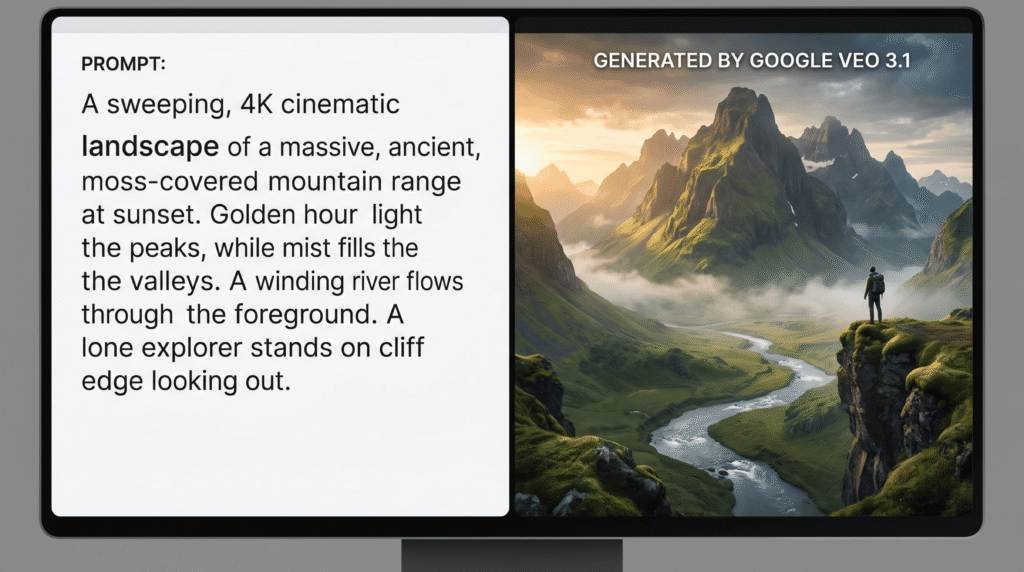
Google Flow, powered by the Veo 3.1 engine, represents a major step forward for high-end AI filmmaking. It is designed specifically for creators who need strong prompt adherence and high visual fidelity without jumping between separate video and audio tools.
Key Features
- Veo 3.1 Generation Engine: Delivers crisp, high-resolution outputs with strong spatial awareness.
- Integrated Audio Generation: Generates relevant ambient soundtracks and dialogue directly alongside the video.
- Extended Multi-Shot Timelines: Allows users to extend clips up to a full minute while maintaining consistent lighting and style.
Pros & Cons
Pros:
- Exceptional rendering of complex textures like fabric, water, and human skin.
- Strong prompt adherence reduces the need for constant re-rolling.
- Built-in audio saves time during post-production.
Cons:
- Lacks some of the fine-grained timeline controls found in dedicated editing programs.
- Full features require premium Google Workspace or AI Studio plans.
- Pricing: Free tier available with daily limits. Paid plans start at $19.99/month.
- Best For: Independent filmmakers, digital marketers building high-end brand assets, and YouTube creators who prioritize cinematic visual quality.
- My Recommendation: If your work relies on detailed prompts and you want clean, natural lighting right out of the box, Google Flow is an excellent choice.
- Overall Rating: ⭐⭐⭐⭐½ (4.7 / 5)
2. Runway Gen-4.5
The Professional Filmmaker’s Choice for Absolute Control
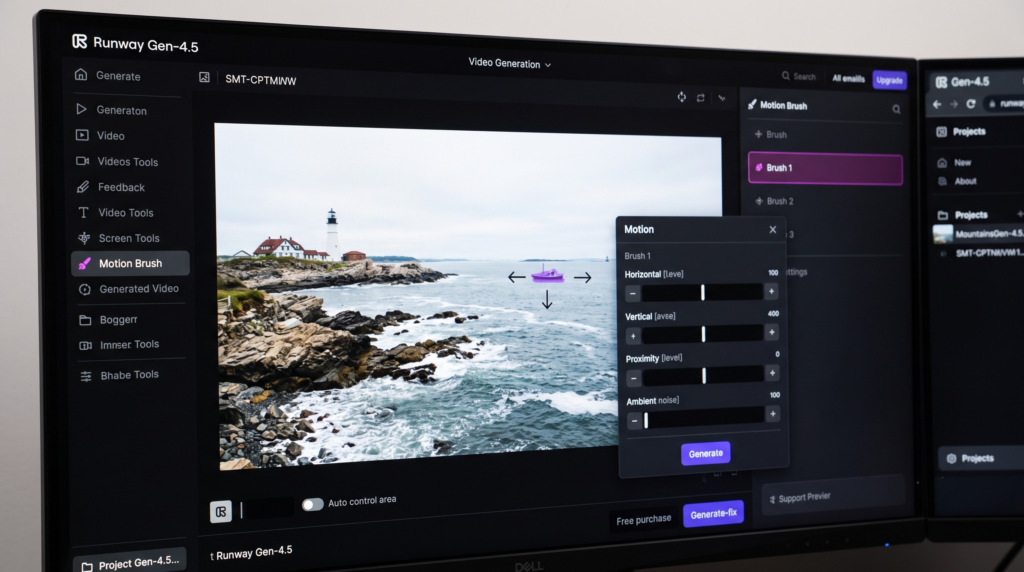
Runway remains a top choice for professional video editors and VFX artists. Rather than functioning simply as a text-to-video prompt box, Gen-4.5 serves as a full generative studio that prioritizes precise user control over raw automation.
Key Features
- Multi-Motion Brush: Gives you the ability to isolate specific areas of a static image and control their movement direction.
- Advanced Camera Controls: Includes dedicated settings for digital pans, tilts, zooms, and tracking shots.
- Custom AI Model Training: Allows brands to train the model on specific imagery to maintain visual consistency across campaigns.
Pros & Cons
Pros:
- Excellent suite of spatial control features.
- Strong image-to-video translation that respects the framing of your reference files.
- Fast rendering times when using the optimized Turbo mode.
Cons:
- The feature-dense interface can feel intimidating for beginners.
- Credit usage is high, meaning heavy users will outgrow the standard plans quickly.
- Pricing: Limited free tier (125 one-time credits). Paid plans include Standard ($15/mo), Pro ($35/mo), and Unlimited ($95/mo).
- Best For: Video editors, design agencies, and content creators who need precise control over asset movement.
- My Recommendation: If you like to fine-tune your compositions and require exact camera movements, Runway Gen-4.5 is worth the investment.
- Overall Rating: ⭐⭐⭐⭐½ (4.6 / 5)
3. Kling 3.0 Omni
The Leader in Photorealistic Motion and Complex Action
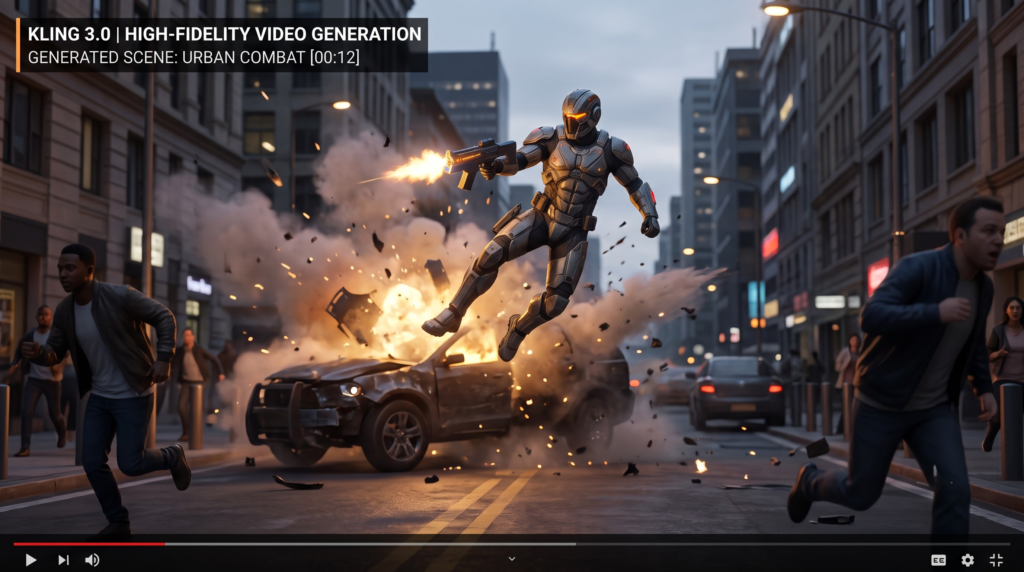
Developed by Kuaishou, Kling 3.0 Omni has become a major competitor in the AI video landscape. It stands out for its handling of complex human physics and multi-shot continuity, making it a powerful option for fast-paced content production.
Key Features
- Advanced Motion Physics: Reduces common AI distortions during rapid movements like running, jumping, or cooking.
- Multi-Shot Storyboards: Allows you to generate up to six connected shots within a single project timeline.
- Global Lip-Sync Support: Features automated voice matching and facial lip-syncing across five different languages.
Pros & Cons
Pros:
- Strong temporal consistency across multi-shot sequences.
- Competitive pricing models that lower the entry cost for creators.
- Renders complex actions with minimal visual clipping.
Cons:
- Commercial usage rights can be complicated on lower plans; check the terms carefully.
- Customer support options are limited for users outside its primary regional hubs.
- Pricing: Daily free login credits. Premium plans start at $8/month (Standard) and scale to $28/month (Pro).
- Best For: Social media creators, marketing teams running fast dynamic campaigns, and builders focused on character action.
- My Recommendation: When your concepts demand high physical activity, object interactions, or multi-angle shots, Kling 3.0 Omni delivers dependable results.
- Overall Rating: ⭐⭐⭐⭐ (4.5 / 5)
4. Hedra (Character-3)
The Best Multimodal Workspace for Character-Centric Content
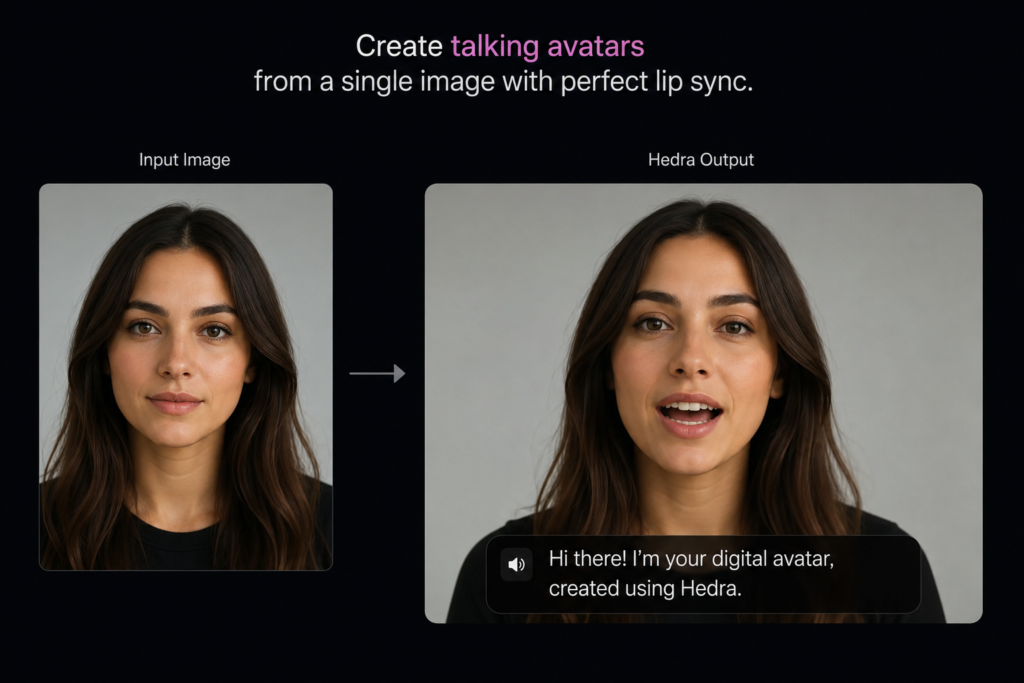
Hedra takes an aggregator approach, bringing multiple leading image, voice, and video models together into a single hub. Powered by its Character-3 foundation model, it focuses on creating expressive, character-driven videos without forcing you to manage multiple standalone subscriptions.
Key Features
- Character-3 Architecture: Processes audio, text, and imagery simultaneously for natural facial expressions.
- Multi-Model Integration: Provides access to 14 different video and image models from one workspace.
- Fast UGC Production: Designed specifically to convert static assets into talking marketing videos quickly.
Pros & Cons
Pros:
- Simplifies workflows by gathering different model options into one subscription.
- High-quality dialogue lip-syncing that avoids the traditional “puppet” look.
- Generous free tier for testing concepts.
Cons:
- Individual clip lengths are tied to the selected base model, often capping at 8-10 seconds per generation.
- Less focused on expansive landscape generation or abstract visual effects.
- Pricing: Free tier provides 300 credits per month. Premium plans run from $10/month (Basic) to $75/month (Professional).
- Best For: Product marketers, sales teams creating personalized outreach, and TikTok/Reels creators focused on talking-head formats.
- My Recommendation: If your strategy relies heavily on user-generated content (UGC) styles, virtual spokespeople, or character performances, Hedra is an efficient, centralized choice.
- Overall Rating: ⭐⭐⭐⭐ (4.4 / 5)
5. Pika 2.5
The Creative Sandbox for Engaging Social Media Effects
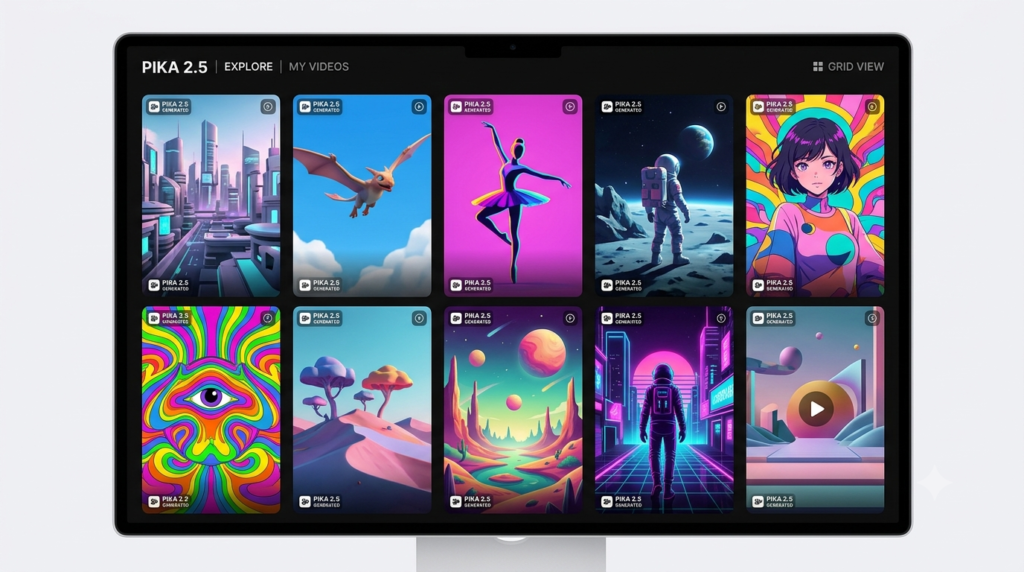
Pika 2.5 leans away from stark realism and focuses on creative flexibility, speed, and stylized visuals. It provides tools tailored for making social media clips stand out, offering affordable packages for individual creators.
Key Features
- Pikaffects & Pikaswaps: Quick-action tools built for changing outfits, modifying objects, or applying surreal visual changes.
- Modify Region: Lets you redraw small parts of a generated frame without spending credits on a complete re-render.
- Pikaformance Lip-Sync: An optimized talking-head engine that creates quick audio-synced clips for social media feeds.
Pros & Cons
Pros:
- Fun, accessible interface that works well for beginners.
- The budget tier is highly affordable for high-volume daily posters.
- Free tier allows for commercial use experimentation (at lower resolutions).
Cons:
- Not designed for true high-end cinematic photorealism.
- Struggles with complex spatial depth or longer narrative continuity.
- Pricing: Free tier with watermarks. Paid options start at $8/month (billed annually) and scale to $76/month for premium usage.
- Best For: Social media managers, meme creators, and indie marketers who need rapid visual hooks.
- My Recommendation: Pika 2.5 is an excellent, accessible choice for creators focused on casual short-form video platforms where visual novelty is more important than perfect photorealism.
- Overall Rating: ⭐⭐⭐⭐ (4.2 / 5)
Performance Comparison & Benchmark Insights
To help you understand how these platforms perform under real-world conditions, I ran the same set of test prompts across all five engines. The results highlight how each tool handles different operational priorities:
Evaluation Metrics
- Prompt Adherence: How accurately the engine translates descriptive text commands into on-screen visuals.
- Temporal Consistency: The tool’s ability to minimize background warping, facial flickering, and sudden mutations across frames.
- Motion Physics: The natural rendering of gravity, human movement, and environmental interactions.
| Platform Name | Prompt Adherence | Temporal Consistency | Motion Physics | Rendering Speed |
| Google Flow | Excellent | Very Good | Good | Moderate |
| Runway Gen-4.5 | Good | Excellent | Very Good | Fast (Turbo Mode) |
| Kling 3.0 Omni | Very Good | Very Good | Excellent | Moderate |
| Hedra | Good | Good | Good (Facial Focus) | Fast |
| Pika 2.5 | Moderate | Moderate | Moderate | Very Fast |
How to Choose the Right AI Video Tool
Selecting the right tool depends largely on your specific goals and production environment:
- Define Your Primary Format: If your focus is long, cinematic B-roll or detailed product scenes, choose an engine like Google Flow or Kling 3.0. For talking heads, reviews, or virtual presentations, choose a character-focused workspace like Hedra.
- Assess Your Editing Requirements: If you prefer to simply enter a text prompt and receive a ready-to-use clip, Google Flow or Pika provides a straightforward path. If you want to manually direct specific camera arcs and control localized movement, choose Runway Gen-4.5.
- Verify Licensing and Commercial Rights: Never assume every paid subscription allows you to use the output in client work or paid advertisements. Always review the terms of service regarding output ownership before launching a commercial campaign.
Common Mistakes to Avoid When Using AI Video Tools
- Writing Vague Prompts: Avoid overly broad descriptions like “a beautiful cinematic scene.” Instead, give the engine specific details: “An over-the-shoulder tracking shot of a hiker standing on a rocky mountain ledge at sunset, shot on 35mm film.”
- Ignoring Image-to-Video Workflow Options: Relying solely on text prompts makes it harder to get consistent results. For better composition control, generate a base image in your preferred AI art tool first, then feed that reference image into your video generator.
- Forgetting About Copyright Safety: Be cautious about using real celebrity names or trademarked brand assets in your prompts, as many commercial tools will flag these or restrict your account.
Frequently Asked Questions (FAQs)
1. What is the best AI video generator overall in 2026?
There is no single “perfect” option, but Google Flow (Veo 3.1) leads for pure cinematic realism, while Runway Gen-4.5 is the top choice for editors who need advanced camera and canvas control features.
2. Can I use these platforms completely free?
Most options—including Google Flow, Hedra, Runway, and Pika—provide limited free tiers or trial credits. However, these free versions usually include watermarks, lower export resolutions, or restrictions against commercial use.
3. Which AI tool is best for creating YouTube Shorts and TikToks?
Pika 2.5 and Kling 3.0 Turbo work well for short-form video. They offer fast rendering times and specialized visual effects tailored for high-energy social feeds.
4. Is OpenAI Sora still the top choice for video generation?
OpenAI Sora remains historically important for its model capabilities, but its consumer-facing web apps and ChatGPT integrations have been discontinued. Because it is now focused primarily on developer APIs, it is less practical for day-to-day content creators.
5. What does “temporal consistency” mean in AI video production?
Temporal consistency refers to a model’s ability to keep objects, backgrounds, and character features stable across a clip, preventing distracting visual distortions or sudden mutations.
6. Can these tools generate synchronized speech and dialogue?
Yes. Platforms like Kling 3.0 Omni and Hedra include dedicated lip-sync modules that match character mouth movements to uploaded audio tracks or text-to-speech files.
7. Do I need an expensive computer to run these programs?
No. All the platforms reviewed in this guide operate on cloud servers. The rendering and processing happen on their remote hardware, meaning you only need a standard web browser and a stable internet connection.
8. How can I keep a character’s face identical across multiple clips?
To maintain character consistency, use the image-to-video feature. Upload a consistent reference photo of your character to seed each new scene generation rather than relying on text prompts alone.
9. Which tool provides the best safety for commercial brand usage?
Adobe Firefly Video and Runway (via enterprise tiers) offer clear intellectual property boundaries and structures designed to protect corporate marketing campaigns from copyright issues.
10. Can AI video generators create a full 10-minute video automatically?
Not in a single step. Current generative models specialize in creating short, high-impact clips (typically 5 to 15 seconds long). To make longer content, creators generate individual scenes and stitch them together using standard editing software.
Final Verdict & Affiliate Recommendations
Finding the right AI video generator depends on matching the platform’s strengths to your creative workflow:
- The Premium & Cinematic Pick: If your goal is top-tier visual realism, clean lighting, and built-in audio generation, select [Google Flow with Veo 3.1].
- The Professional Editor’s Pick: If you are a designer or filmmaker who requires detailed camera controls, brush adjustments, and customized brand training, select [Runway Gen-4.5].
- The Value & Budget Pick: For creators who need high-energy social media clips, quick visual transformations, and affordable pricing plans, select [Pika 2.5].
Your Next Step: Avoid getting stuck in the planning phase. Pick the option above that aligns with your current project goals, sign up for a free trial account, and start generating your first clips today!